









Fujichrome Velvia 100 Presets
$34.90
Want to transform your digital photos? Our Velvia presets bring back the film’s legendary vibrancy and sharpness in seconds. Recreate the emotional depth and vivid beauty that made this iconic film a favorite among professionals. Effortless editing for stunning results. Get yours today!
✓ 7 Fujichrome Velvia 100 Presets
✓ 16 Clean Edit Presets
✓ Professional Look with 1-Click
✓ Easy to use – Beginner-friendly
✓ Create your own Signature Style
✓ Instant Digital Download
 For Desktop & Mobile
Want to elevate your photos? Get Velvia 100 Presets.
“The presets are the shortcut to photo perfection! I can’t believe how effortlessly they capture that timeless film vibe – they have dramatically speed up for my workflow.” Brandon W. Landscape Photographer
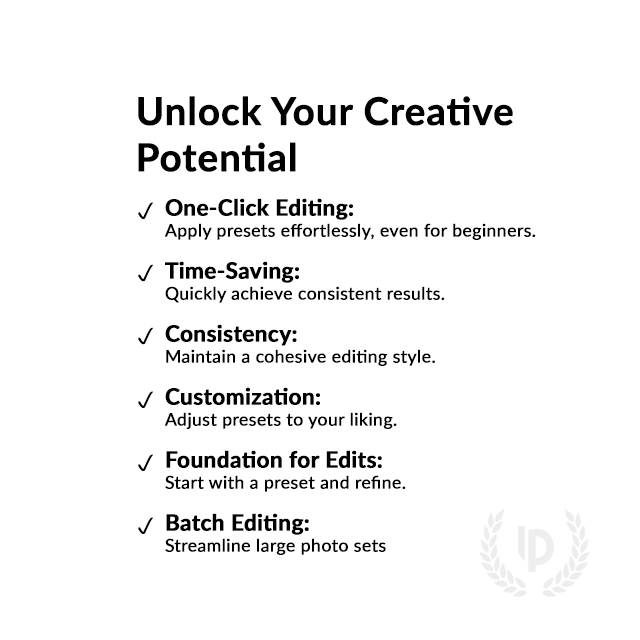
Bring Analog Film Magic to Your Photos with Velvia 100 Presets for Lightroom
Struggling to recapture that classic Velvia magic in Lightroom? Elevate your photography with there presets and capture the essence of analog without the cost and limitations!
Relive the nostalgia of analog film with our presets. Recreate the emotional depth and vivid beauty that made this iconic emulsion a favorite among professionals. Let your photos tell a story that resonates with the soul.
What's Included:
What’s Included
» 7 Fujichrome Velvia 100 Presets
» 16 Clean Edit Presets
» 1x Instruction Guide (PDF)
» File formats: XMP, DNG
» 7 DNG Files
» Free Upgrades
Clean Edit Presets
Use the Clean Edit Presets to make basic adjustments and set the foundation for your image. They also speed-up your workflow and offer you endless style combinations.
 You receive this presets as digital download
immediately after purchase.
Compatible with:

Desktop
» Adobe® Lightroom® 7.5 or later
» Adobe® Camera Raw 10.5 or later
Mobile
» Adobe® Lightroom Mobile
» Android & iPhone
Get 7 Velvia 100
Film Simulation Presets

Velvia 100

Velvia 100 Vivid

Velvia 100 Cool

Velvia 100 Warm

Velvia 100 Pulled

Velvia 100 Pushed

Velvia 100 Flat

Professional Fujichrome Velvia 100 Film Simulation Presets
Image: Fujifilm
How to Download & Install the Presets?
As soon as your payment went through, you receive the download link direct by email.
Just follow the easy instructions at How to install Lightroom Presets and start using them on your desktop or mobile device.
How to use Lightroom Presets?
- The Fuji Velvia 100 Filters for Lightroom are crafted by professionals to enhance the visual look of photos. These Fuji presets are designed to complement a wide range of images, ensuring consistent results.
- The Film look Lightroom Presets are available for the the Desktop and Mobile App versions of Lightroom. The mobile app for Android and iPhone offers you nearly the same features like the desktop version to edit and transform your photos on the go.
- You can capture your photos using a DSLR, mirrorless camera, point & shoot camera, or even your smartphone. Import the image into Lightroom and apply the desired preset. This straightforward process allows you to achieve professional results with just a few clicks.
- Please note that the final outcome of a preset can vary depending on the characteristics of the original photograph, such as white balance, exposure, tones, and settings.
- After applying a preset, you can start to make manual adjustments to fine-tune the image to your liking. Lightroom offers a large set of sliders and tools, allowing you to tweak many aspects of the image until you achieve the desired outcome.
- In some instances, a preset may alter the skin tone of persons captured in the photograph. In this cases, utilize Lightroom’s powerful color adjustment tools to refine the skin tone until it appears natural and flattering.
- For optimal results, it’s recommended to use presets on well-exposed, high-quality RAW & JPG photographs. Images that are overexposed, underexposed, or of poor quality may yield unsatisfactory results when presets are applied.
If you like the look of the Fujichrome film series you are may interested in presets like:
– Fujichrome Astia 100F
– Fujichrome Fortia SP50
– Fujichrome Provia 100F
– Fujichrome Sensia 200
How to use the Clean Edit Presets?
With our Clean Edit Presets you can set the perfect foundation of your image by adjusting for example white balance, exposure, whites, tones, etc. Each clean edit preset changes only one value, without overwriting other adjustments and values.
Can the Presets used in Photoshop?
You can use the Presets in XMP format also in Adobe Photoshop
Installing Presets in Adobe Camera Raw (ACR) 10.3+ (Windows & Mac)
- Open your image in Adobe Photoshop.
- At the top menue click on Filter and select “Camera Raw Filter”.
- On the right you see the word “Basic” click the small burger next to it. Then, click “Load Settings”.
- Choose the .xmp file(s) from downloaded and unzipped folder. Then click on “Load” button.
- To apply a preset, click on OK button.
Do you have Tips for the Presets?
Tips & Tricks for Velvia 100 Presets
- Experiment with Different Presets: Try out various Velvia presets to see which one fits your photo best.
- Adjust Exposure and Contrast: Fine-tune the brightness and contrast sliders to achieve the desired look.
- Play with Saturation: Enhance or reduce colors to make your photos pop or create a subtle effect.
- Experiment with White Balance: Adjust the temperature and tint to achieve the right mood and tone.
- Don’t Overdo It: Avoid applying too many effects at once to keep your photos looking natural.
- Customize Settings: Tailor the presets to your liking by adjusting individual settings like shadows and highlights.
- Compare Before and After: Use the preview feature to see how the preset changes your photo and make adjustments accordingly.
The Fujichrome Velvia 100 Film
The Fuji Velvia 100 film was an iconic professional color reversal film renowned for its vibrant colors, high saturation, and fine grain structure. It was a favorite among landscape and nature photographers, capturing the beauty of the natural world with unparalleled vividness and detail. See all details and specs.
Despite its exceptional image quality, the film was challenging to work with, requiring precise exposure and processing techniques. Nevertheless, its unique look and emotional impact made it a beloved choice among professionals and enthusiasts alike, willing to master its quirks for the sake of breathtaking results.
When digital photography began to rise, the Velvia 100 remained a staple for many analog photographers, unwilling to sacrifice the film’s iconic look and feel. Its discontinuation in 2021 because of environmental concerns marked the end of an era, but its legacy lives on through our presets that aim to recreate its distinct aesthetic in the digital realm.
- Iconic professional color reversal film
- Known for vibrant colors and high saturation
- Fine grain structure for exceptional detail
- Challenging exposure and processing requirements
- Beloved by landscape and nature photographers
- Discontinued in 2021
How about License/Terms?
License Terms
The Presets are licensed for individual use only. Resale or redistribution is strictly prohibited. This non-transferable license is limited to the original purchaser and does not extend to companies or partnerships.
No Refunds
All sales of these digital products are final with no refunds, returns, or exchanges permitted due to their downloadable nature.
By purchasing, you agree to these terms.
Customers who viewed this presets also viewed:
Fujichrome Fortia SP50
Fujichrome Astia 100F
Fujichrome Provia 100F
Fujifilm Superia 100
Fujifilm Reala 100
Kodak Ektar 100
Kodak Portra 160
We have the largest selection of Lightroom film presets, give your images the famous Fuji film look and explore more Fujifilm Lightroom Presets here.
3 reviews for Fujichrome Velvia 100 Presets
Only logged in customers who have purchased this product may leave a review.
Related products


$34.90

$34.90
-67%

Original price was: $244.30.$79.90Current price is: $79.90.


$34.90


$34.90


$34.90

$34.90
Marcus H. (verified owner) –
I’ve been using these presets on my nature photography, and the results are incredible. The greens and blues come out so rich and bold, without feeling oversaturated. Perfect for anyone who loves shooting outdoors!
Ethan C. (verified owner) –
I’m not a pro editor, but these Fujichrome Velvia 100 presets make my photos look like they were taken by a professional. So easy to use and the colors are just stunning!
Emily P. (verified owner) –
They’re perfect for landscape shots, adding depth and vibrancy. Love them!