







Fujichrome Astia 100F Presets
$34.90
Ready to effortlessly achieve the perfect Fujichrome Astia 100F film look in your photos? Spend less time editing and more time creating! Our 26 Premium Astia presets deliver stunning, natural tones in seconds.
Ideal for portraiture, landscapes, and fine art photography.
Purchase our presets and experience the magic.
✓ 7 Fujichrome Astia 100F Presets
✓ 19 Clean Edit Presets
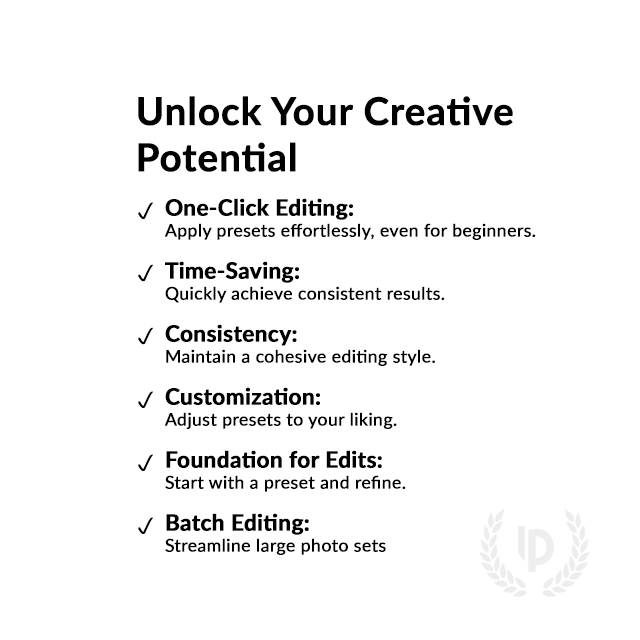
✓ Professional Look with 1-Click
✓ Easy to use – Beginner-friendly
✓ Create your own Signature Style
✓ Instant Digital Download
 For Desktop & Mobile
Elevate Your Edits: Get the Fujichrome Astia Glow.
“My portraits always felt flat before. These Astia presets add a whole new level of depth and vibrancy – it’s like I’m seeing my photos for the first time!.” Rebecca S.
Experience the Allure of Fujichrome Astia 100F, Digitally
Unlock the enchanting world of Astia’s iconic film emulsion, where every frame exudes warmth, depth, and an unparalleled sense of nostalgia.
Transform your photos into mesmerizing masterpieces and unleash your creative vision. Experience the magic of Fujichrome Astia 100F today!
What's Included:
What’s Included
» 7 Fujichrome Astia 100F Presets
» 19 Clean Edit Presets
» 1x Instruction Guide (PDF)
» File formats: XMP, DNG
» 7 DNG Files
» Free Upgrades
Clean Edit Presets
Use the Clean Edit Presets to make basic adjustments and set the foundation for your image. They also speed-up your workflow and offer you endless style combinations.
 You receive this presets as digital download
immediately after purchase.
Compatible with:

Desktop
» Adobe® Lightroom® 7.5 or later
» Adobe® Camera Raw 10.5 or later
Mobile
» Adobe® Lightroom Mobile
» Android & iPhone


Get 7 Astia 100F
Film Simulation Presets

Astia 100F

Astia 100F Vivid

Astia 100F Cool

Astia 100F Warm

Astia 100F Pulled

Astia 100F Pushed

Astia 100F Flat

Professional Fujichrome Astia 100F Film Simulation Presets
Image: Fujifilm
FAQ
How to Download and Install the Presets?
As soon as your payment went through, you receive the download link direct by email.
Just follow the easy instructions at How to install Lightroom Presets and start using them on your desktop or mobile device.
How to use Lightroom Presets?
- The Fuji Astia 100F for Lightroom are crafted by professionals to enhance the visual look of photos. These Fuji presets are designed to complement a wide range of images, ensuring consistent results.
- The Presets are available for the the Desktop and Mobile App versions of Lightroom. The mobile app for Android and iPhone offers you nearly the same features like the desktop version to edit and transform your photos on the go.
- You can capture your photos using a DSLR, mirrorless camera, point & shoot camera, or even your smartphone. Import the image into Lightroom and apply the desired preset. This straightforward process allows you to achieve professional results with just a few clicks.
- Please note that the final outcome of a preset can vary depending on the characteristics of the original photograph, such as white balance, exposure, tones, and settings.
- After applying a preset, you can start to make manual adjustments to fine-tune the image to your liking. Lightroom offers a large set of sliders and tools, allowing you to tweak many aspects of the image until you achieve the desired outcome.
- In some instances, a preset may alter the skin tone of persons captured in the photograph. In this cases, utilize Lightroom’s powerful color adjustment tools to refine the skin tone until it appears natural and flattering.
- For optimal results, it’s recommended to use presets on well-exposed, high-quality RAW & JPG photographs. Images that are overexposed, underexposed, or of poor quality may yield unsatisfactory results when presets are applied.
If you like the look of the Fujichrome film series you are may interested in presets like:
– Fujichrome Fortia SP50
– Fujichrome Provia 100F
– Fujichrome Sensia 200
– Fujichrome Velvia 100
How to use the Clean Edit Presets?
With our Clean Edit Presets you can set the perfect foundation of your image by adjusting for example white balance, exposure, whites, tones, etc. Each clean edit preset changes only one value, without overwriting other adjustments and values.
Can the Presets used in Photoshop?
You can use the Presets in XMP format also in Adobe Photoshop
Installing Presets in Adobe Camera Raw (ACR) 10.3+ (Windows & Mac)
- Open your image in Adobe Photoshop.
- At the top menue click on Filter and select “Camera Raw Filter”.
- On the right you see the word “Basic” click the small burger next to it. Then, click “Load Settings”.
- Choose the .xmp file(s) from downloaded and unzipped folder. Then click on “Load” button.
- To apply a preset, click on OK button.
Fujichrome Astia 100F: The Natural Beauty Film
The Fujichrome Astia 100F film was a beloved choice among photographers seeking to capture the world in a subtly nuanced and delicately rendered way.
Its unique emulsion technology delivered exceptional color fidelity, rendering hues with a natural elegance that perfectly complemented various subjects and lighting conditions.
Photographers praised Astia 100F for its ability to capture intricate details and textures with remarkable clarity, resulting in images that exuded a sense of depth and dimension.
The film’s subtle contrast and smooth gradations lent a timeless, almost ethereal quality to landscapes, portraits, and still life subjects alike. More specs here.
Key facts about the Fujichrome Astia 100F:
- ISO 100 speed
- Renowned for its natural, muted color reproduction
- Low contrast and smooth gradations
- Exceptional detail rendition
- Fine Grain: Despite being a 100 ISO film, Astia boasted exceptionally fine grain, resulting in sharp and detailed images.
- Pushing Potential: Photographers could push Astia by one or two stops to capture scenes in lower light situations with minimal impact on quality.
- Ideal for portraiture, landscapes, and fine art photography
- Discontinued in 2012, leaving a lasting legacy
Do you have Tips for the Presets?
Astia Preset Power-Ups for Lightroom
- Sunshine Savior: Feeling a photo’s a bit dull? Apply the Astia preset to bring out those vibrant colors, just like a sunny day boost!
- Enhance Colors: These presets will make the colors in your photos look more natural and subdued, similar to how the famous Astia film rendered colors.
- Adjust Contrast: The presets will lower the contrast in your images, creating smoother transitions between light and dark areas.
- Add Warmth: The presets can give your photos a warm, cozy feeling, like a gentle summer afternoon.
- Improve Details: The presets can help you see more details in your photos, like the texture of a leaf or the intricate patterns on a butterfly’s wings.
- Skin Tone Smatterings: Astia presets are your BFF for portraits! They make skin tones look natural and healthy, no weird orange happening here.
- Sharp Shooter: Astia presets keep your photos looking crisp and clear, even when zoomed in for those epic close-ups.
- Fine-Tuning Fun: The presets are a great starting point, but don’t be afraid to adjust things like brightness or contrast to really make your photo pop!
- Experiment Like an Explorer: We have 6 different Astia presets available. Try them all out and see which one makes your photo look the most awesome!
How about License/Terms?
License Terms
The Presets are licensed for individual use only. Resale or redistribution is strictly prohibited. This non-transferable license is limited to the original purchaser and does not extend to companies or partnerships.
No Refunds
All sales of these digital products are final with no refunds, returns, or exchanges permitted due to their downloadable nature.
By purchasing, you agree to these terms.
Customers who viewed this presets also viewed:
We have the largest selection of film presets, give your images the famous Fuji film look and explore more Lightroom Fuji presets here.
2 reviews for Fujichrome Astia 100F Presets
Only logged in customers who have purchased this product may leave a review.
Related products
-67%

Original price was: $244.30.$79.90Current price is: $79.90.
-57%

Original price was: $139.60.$59.90Current price is: $59.90.



$34.90


$34.90


$34.90


$34.90
Amelia F. (verified owner) –
Perfect for portrait work. I couldn’t be happier with the results!
Claire R. (verified owner) –
The Fujichrome Astia presets are perfect for anyone looking to achieve soft, subtle edits with a professional finish. Easy to use.