




Kodak Max 800 Presets
$34.90
Bring the nostalgic charm of Kodak Max 800 film to your digital photos with our Lightroom presets. Designed to replicate the iconic look of this analog film, these presets will transform your images with a touch of retro magic. Perfect for photographers seeking to add a unique, vintage aesthetic to their work.
Get yours now and elevate your photography to new heights!
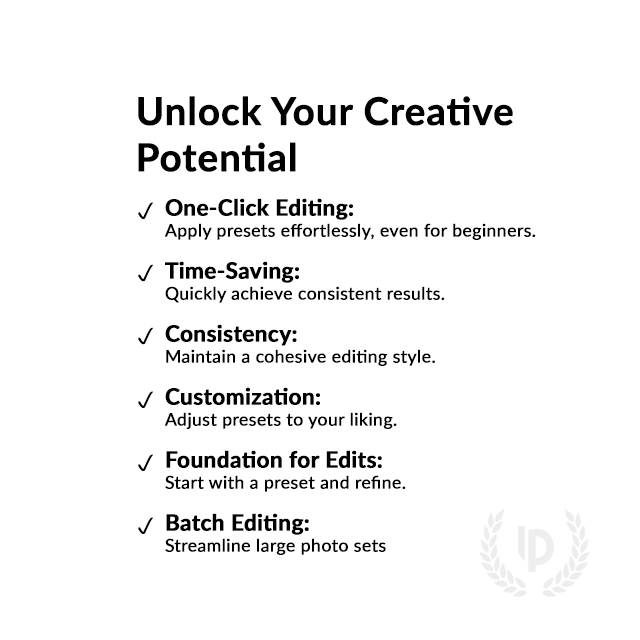
✓ 8 Kodak Max 800 Presets
✓ 20 Clean Edit Presets
✓ Professional Look with 1-Click
✓ Easy to use – Beginner-friendly
✓ Create your own Signature Style
✓ Instant Digital Download
 For Desktop & Mobile
Your shortcut to vintage charm!
“I’ve been searching for a way to recreate the look of Kodak Max 800 photos, and these presets nailed it!” – Jacob D., Travel blogger
Vintage Kodak Max 800 Presets for Lightroom
Nostalgia meets modern photography with Kodak Max 800 Presets. Recapture the warmth and character of analog film, evoking memories of a bygone era. These presets will captivate your audience, creating a timeless and cherished aesthetic that stands out from the digital crowd.
Perfect for photographers and enthusiasts who love the classic Kodak Max 800 look.
What's Included:
What’s Included
» 8 Kodak Max 800 Presets
» 20 Clean Edit Presets
» 1x Instruction Guide (PDF)
» File formats: XMP, DNG
» 8 DNG Files
» Free Upgrades
Clean Edit Presets
Use the Clean Edit Presets to make basic adjustments and set the foundation for your image. They also speed-up your workflow and offer you endless style combinations.
 You receive this presets as digital download
immediately after purchase.
Compatible with:

Desktop
» Adobe® Lightroom® 7.5 or later
» Adobe® Camera Raw 10.5 or later
Mobile
» Adobe® Lightroom Mobile
» Android & iPhone
Get 8 Kodak Max 800
Film Simulation Presets

Max 800 base

Max 800 vivid

Max 800 cool

Max 800 warm

Max 800 pulled

Max 800 pushed

Max 8000 flat

Max 800 balance


Explore our full library of film presets and bring analog character to your digital shots, browse all Kodak Lightroom Presets here.

Professional Kodak Max 800 Film Simulation Presets.
Image: Kodak
Why was the Kodak Max 800 Film Popular?
Since it’s introduction, the Kodak Max 800 film has become quite popular with photographers as it had a wide range of uses and produced some unique visual effects. Among other things, the fact that the film has an ISO value of 800 that is quite high was especially significant.
Consequently, this meant that pictures could be taken in poorly lit areas without necessarily compromising on the quality of the image which made it ideal for indoor as well as night time photography.
The warm, slightly grainy look of Kodak Max 800 film added a unique character to each photo taken. The color accuracy of this film type was also widely praised. Rich, vibrant hues produced a nostalgic look to each image captured.
Photographers enjoyed shooting this film because of its ability to convey emotion and a timeless quality to their images. The popularity of Kodak Max 800 endured through the tough 2000s as digital began to take over the photographic industry. Many photographers still shot this film due to its unique aesthetic and feel.
Facts and specs about Kodak Max 800 film:
- 120/220 roll film format
- ISO 800 speed
- Available in 35mm format
- Daylight-balanced color negative film
- Ideal for low-light and indoor photography
- Warm, slightly grainy appearance
- Rich, saturated colors
- Captures a wide range of tones and details
- Popular use for Indoor events, low light photography
- Discontinued in the late 2000s
Do you have Tips for the Presets?
Tips & Tricks for Kodak Max 800 Presets
- Adjust exposure and contrast to recreate the film’s dynamic range
- Tweak the grain settings to match the desired analog look
- Experiment with split-toning to enhance the warm tones
- Use the presets selectively on specific areas for creative effects
- Stack presets to intensify the analog aesthetic
- Pair with complementary editing techniques like vignetting
- Combine with vintage-inspired presets for a truly nostalgic feel
- Adjust the intensity of the presets to suit your personal style
How to Download & Install the Presets?
As soon as your payment went through, you receive the download link direct by email.
Just follow the easy instructions at How to install Lightroom Presets and start using them on your desktop or mobile device.
How to use Lightroom Presets?
- The Kodak Max 800 Filters for Lightroom are crafted by professionals to enhance the visual look of photos. These Kodak presets are designed to complement a wide range of images, ensuring consistent results.
- The Presets are available for the the Desktop and Mobile App versions of Lightroom. The mobile app for Android and iPhone offers you nearly the same features like the desktop version to edit and transform your photos on the go.
- You can capture your photos using a DSLR, mirrorless camera, point & shoot camera, or even your smartphone. Import the image into Lightroom and apply the desired preset. This straightforward process allows you to achieve professional results with just a few clicks.
- Please note that the final outcome of a preset can vary depending on the characteristics of the original photograph, such as white balance, exposure, tones, and settings.
- After applying a preset, you can start to make manual adjustments to fine-tune the image to your liking. Lightroom offers a large set of sliders and tools, allowing you to tweak many aspects of the image until you achieve the desired outcome.
- In some instances, a preset may alter the skin tone of persons captured in the photograph. In this cases, utilize Lightroom’s powerful color adjustment tools to refine the skin tone until it appears natural and flattering.
- For optimal results, it’s recommended to use presets on well-exposed, high-quality RAW & JPG photographs. Images that are overexposed, underexposed, or of poor quality may yield unsatisfactory results when presets are applied.
How to use the Clean Edit Presets?
With our Clean Edit Presets you can set the perfect foundation of your image by adjusting for example white balance, exposure, whites, tones, etc. Each clean edit preset changes only one value, without overwriting other adjustments and values.
Can the Presets used in Photoshop?
You can use the Presets in XMP format also in Adobe Photoshop
Installing Presets in Adobe Camera Raw (ACR) 10.3+ (Windows & Mac)
- Open your image in Adobe Photoshop.
- At the top menue click on Filter and select “Camera Raw Filter”.
- On the right you see the word “Basic” click the small burger next to it. Then, click “Load Settings”.
- Choose the .xmp file(s) from downloaded and unzipped folder. Then click on “Load” button.
- To apply a preset, click on OK button.
How about License/Terms?
License Terms
The Presets are licensed for individual use only. Resale or redistribution is strictly prohibited. This non-transferable license is limited to the original purchaser and does not extend to companies or partnerships.
No Refunds
All sales of these digital products are final with no refunds, returns, or exchanges permitted due to their downloadable nature.
By purchasing, you agree to these terms.
Customers also viewed this presets:
Kodak Porta 800
Fujifilm Superia X-Tra 800
Fujifilm Pro 800Z
Fujicolor Press 800
Fujifilm Natura 1600
Kodak Color Plus 400
Only logged in customers who have purchased this product may leave a review.
Related products
-57%

Original price was: $139.60.$59.90Current price is: $59.90.


$34.90


$34.90


$34.90



$34.90
Reviews
There are no reviews yet.