






Agfa Scala 200X Presets
$34.90
Agfa Scala 200X Presets bring the nostalgia of classic black-and-white photography to your modern images. Enhance your photos and tell compelling stories with ease. Each preset adds a timeless touch that resonates with viewers. Capture memories that last—start your artistic journey today!
✓ 10 Agfa Scala 200X Presets
✓ 16 Clean Edit Presets
✓ Professional Look with 1-Click
✓ Easy to use – Beginner-friendly
✓ Create your own Signature Style
✓ Instant Digital Download
 For Desktop & Mobile
Want stunning black & white photos? Achieve a timeless look without frustration!
“As someone who values aesthetics, these presets are perfect for my projects. They bring a touch of elegance that impresses clients every time.” – James K., Marketing Executive
Bring Analog Elegance to Your Digital Photography!
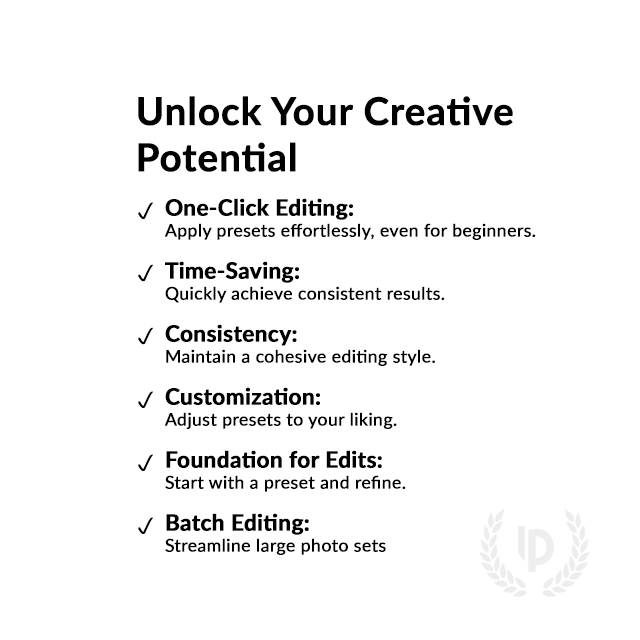
Are your digital photos lacking classic black-and-white charm? Agfa Scala 200X Presets for Lightroom offer an easy solution! With one click, achieve the depth and contrast of analog film, simplifying your editing process. Don’t settle for ordinary—unlock the beauty of your images today. Enhance your photography and let your creativity shine!
What's Included:
What’s Included
» 10 Agfa Scala 200X Presets
» 16 Clean Edit Presets
» 1x Instruction Guide (PDF)
» File formats: XMP, DNG
» 10 DNG Files
» Free Upgrades
Clean Edit Presets
Use the Clean Edit Presets to make basic adjustments and set the foundation for your image. They also speed-up your workflow and offer you endless style combinations.
 You receive this presets as digital download
immediately after purchase.
Compatible with:

Desktop
» Adobe® Lightroom® 7.5 or later
» Adobe® Camera Raw 10.5 or later
Mobile
» Adobe® Lightroom Mobile
» Android & iPhone


Get 10 Agfa Scala 200X Film Simulation Presets

Agfa Scala 200X0 Base

Agfa Scala 200X HC

Agfa Scala 200X LC

Agfa Scala 200X0 Faded

Agfa Scala 200X Red Filter

Agfa Scala 200X Blue Filter

Agfa Scala 200X Green Filter

Agfa Scala 200X Sepia

Agfa Scala 200X Cream

Agfa Scala 200XSelenium

Professional Agfa Scala 200X Film Simulation Presets Image: Agfa
FAQ
How to Download & Install the Presets?
As soon as your payment went through, you receive the download link direct by email.
Just follow the easy instructions at How to install Lightroom Presets and start using them on your desktop or mobile device.
How to use Lightroom Presets?
- The Agfa Scala 200X Filters for Lightroom are crafted by professionals to enhance the visual look of photos. These Agfa Lightroom presets are designed to complement a wide range of images, ensuring consistent results.
- The Lightroom film presets are available for the the Desktop and Mobile App versions of Lightroom. The mobile app for Android and iPhone offers you nearly the same features like the desktop version to edit and transform your photos on the go.
- You can capture your photos using a DSLR, mirrorless camera, point & shoot camera, or even your smartphone. Import the image into Lightroom and apply the desired preset. This straightforward process allows you to achieve professional results with just a few clicks.
- Please note that the final outcome of a preset can vary depending on the characteristics of the original photograph, such as white balance, exposure, tones, and settings.
- After applying a preset, you can start to make manual adjustments to fine-tune the image to your liking. Lightroom offers a large set of sliders and tools, allowing you to tweak many aspects of the image until you achieve the desired outcome.
- In some instances, a preset may alter the skin tone of persons captured in the photograph. In this cases, utilize Lightroom’s powerful color adjustment tools to refine the skin tone until it appears natural and flattering.
- For optimal results, it’s recommended to use presets on well-exposed, high-quality RAW & JPG photographs. Images that are overexposed, underexposed, or of poor quality may yield unsatisfactory results when presets are applied.
How to use the Clean Edit Presets?
With our Clean Edit Presets you can set the perfect foundation of your image by adjusting for example white balance, exposure, whites, tones, etc. Each clean edit preset changes only one value, without overwriting other adjustments and values.
Can the Presets used in Photoshop?
You can use the Presets in XMP format also in Adobe Photoshop
Installing Presets in Adobe Camera Raw (ACR) 10.3+ (Windows & Mac)
- Open your image in Adobe Photoshop.
- At the top menu click on Filter and select “Camera Raw Filter”.
- On the right you see the word “Basic” click the small burger next to it. Then, click “Load Settings”.
- Choose the .xmp file(s) from downloaded and unzipped folder. Then click on “Load” button.
- To apply a preset, click on OK button.
The Agfa Scala 200X Film
The Agfa Scala 200X analog film gained immense popularity among photographers for its distinctive black-and-white aesthetic and superior image quality. Launched in the 1990s, this film was celebrated for its ability to capture stunning detail and contrast, producing images that exuded depth and richness.
Photographers appreciated Scala’s unique emulsion, which offered vibrant highlights and deep shadows, making it a favorite for landscape, portrait, and fine art photography. Additionally, the film’s versatility allowed for excellent results under various lighting conditions, further enhancing its appeal.
As digital photography emerged, the nostalgic allure of Agfa Scala 200X continued to captivate enthusiasts, driving a revival of interest in analog techniques. Today, many strive to replicate its iconic look in their digital work, reflecting its lasting impact on the photography community.
Key facts about the original Agfa Scala 200X film:
- Film Type: Black-and-white reversal film
- ISO Rating: 200
- Format: 35mm
- Dynamic Range: Exceptional highlight and shadow detail
- Processing: E6 development process
- Grain Structure: Fine grain for high-resolution images
- Color Rendition: Neutral with a broad tonal range
- Discontinued in 2004
Do you have Tips for the Presets?
Tips & Tricks for Agfa Scala 200X Presets
- Start with Good Photos: Choose clear, well-composed images for the best results.
- Apply the Preset First: Use the Agfa Scala 200X preset right after importing your photo to see its full effect.
- Adjust Exposure: If your photo looks too bright or dark, tweak the exposure slider to find the right balance.
- Fine-tune Contrast: Increase or decrease contrast to make your photo pop or soften the look.
- Crop for Better Composition: Use the cropping tool to frame your subject and improve the overall look.
- Experiment with Clarity: Adjust the clarity slider to enhance details or give a softer feel to your images.
- Use the Brush Tool: Apply the preset selectively with the brush tool for more control on specific areas.
- Save Your Settings: After making adjustments, save your new settings as a custom preset for future use.
How about License/Terms?
License Terms
The Presets are licensed for individual use only. Resale or redistribution is strictly prohibited. This non-transferable license is limited to the original purchaser and does not extend to companies or partnerships.
No Refunds
All sales of these digital products are final with no refunds, returns, or exchanges permitted due to their downloadable nature.
By purchasing, you agree to these terms.
Customers who viewed this presets also viewed:
We have a large selection of Black & White filters, give your images the unique monochrome look and explore more Black and White Lightroom Presets here.
Only logged in customers who have purchased this product may leave a review.
Related products


$34.90


$34.90


$34.90


$34.90


$34.90


$34.90


Reviews
There are no reviews yet.