


Home | Articles | Analog Film
How to Get the Ektachrome Look in Lightroom: A Travel Editing Guide
Richard ♦ February 06, 2026 ♦ 18 min read
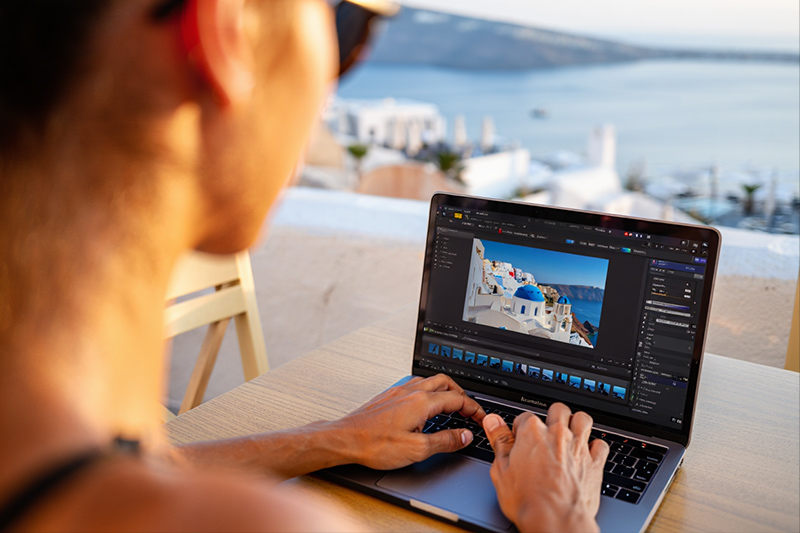
Kodak Ektachrome E100 Travel Editing Guide is all about keeping your travel photos clean, colorful, and slightly cool without overdoing saturation. E100 is known for crisp detail, rich blues, and punchy reds, so your Lightroom job is to protect highlights, control contrast, and keep skin tones from turning too magenta.
If you want a fast way to get that classic slide film look, start with the Kodak Ektachrome E100 Lightroom presets and fine-tune from there.
Key takeaways
- Expose for highlights first (Ektachrome hates blown skies).
- Cool the white balance slightly, but don’t kill warmth completely.
- Boost blues and cyans carefully for that E100 “travel postcard” feel.
- Use gentle contrast, then shape it with the Tone Curve.
- Sharpen with restraint so textures stay film-like, not crunchy.
- Keep skin tones neutral by controlling magenta and red saturation.
01.
How do you edit travel photos like Kodak Ektachrome E100?
To edit like Kodak Ektachrome E100, you want cooler whites, deep blues, strong contrast, and clean highlights, while keeping saturation controlled so it doesn’t look digital. Start by correcting exposure, then lock in white balance, then handle contrast with curves, and finish with HSL color shaping and subtle grain.
That’s the whole recipe. Now let’s do it properly, step by step.
02.
Kodak Ektachrome E100 Lightroom settings (fast recipe)
Best Lightroom settings for an Ektachrome E100 travel look:
- Set White Balance slightly cool (Temp down 300 to 800K).
- Reduce Highlights (-30 to -70) to save skies.
- Add Contrast (+10 to +25).
- Pull Blacks down slightly (-10 to -25).
- Boost Vibrance (+10 to +20), keep Saturation low (0 to +5).
- In HSL, push Blue Hue slightly toward cyan, then darken Blue Luminance.
- Add a mild S-curve for slide-film punch.
- Add light grain (Amount 10 to 25).
This gives you the classic E100 “clean but bold” travel vibe.
03.
Why Kodak Ektachrome E100 looks so good for travel
Ektachrome E100 is a daylight-balanced slide film known for:
- crisp microcontrast
- bold but controlled saturation
- strong blues (sky, ocean, shadows)
- punchy reds (signs, clothing, street details)
It’s also a film stock that punishes sloppy exposure. Unlike negative film, slide film has less highlight forgiveness.
Kodak lists E100 as ISO 100 daylight film designed for “accurate color reproduction and high saturation.”
This is exactly why it works so well for travel photography, city scenes, coastal landscapes, and architecture.
04.
Step-by Step guide to edit travel photos
Step 1: Start with the right RAW file settings
Before touching color grading, fix your base:
Recommended Lightroom starting point
- Profile: Adobe Color (or your preset profile)
- Exposure: adjust to taste, but protect highlights
- Highlights: pull down first
- Whites: adjust while holding Alt/Option to avoid clipping
- Shadows: don’t lift too far, E100 likes depth
- Blacks: slightly negative for richer contrast
Travel tip: If your sky is clipped, E100-style editing won’t save it. Slide film looks best when highlights stay intact.
Step 2: White balance (E100 is cool, but not cold)
Ektachrome is famous for slightly cooler rendering, especially in daylight.
A good travel starting point
- Temp: 4800K to 5400K (for daylight shots)
- Tint: slightly green or neutral (0 to -5)
If your tint goes too magenta, your photos will instantly look modern and “Instagram-y,” not like slide film.
Common E100 white balance mistakes
- Over-warming sunsets until they turn orange mush
- Adding too much magenta to skin tones
- Neutralizing shadows completely (E100 loves cooler shadows)

Step 3: Contrast the Ektachrome way (Tone Curve beats the slider)
The Contrast slider works, but it’s blunt. The Tone Curve gives you the real slide-film feel.
Simple E100 curve recipe
- Lift highlights slightly (top right)
- Pull shadows slightly downward
- Keep midtones clean and bright
Goal: punchy contrast without crushing details.
Kodak’s own Ektachrome samples show strong highlight separation, especially in bright skies and reflective surfaces.

Step 4: Color grading travel scenes (HSL is where the magic happens)
This is the heart of E100.
Blues and Cyans (sky and ocean)
- Blue Hue: shift slightly toward cyan (-5 to -15)
- Blue Saturation: +5 to +20
- Blue Luminance: -10 to -30 (deeper skies)
For oceans, adjust Aqua too:
- Aqua Hue: slightly toward blue (+5 to +15)
- Aqua Saturation: +5 to +15
This is what gives Ektachrome travel photos that “clean postcard” look.
Reds and Oranges (signs, clothing, food)
E100 makes reds pop, but Lightroom can overcook them fast.
- Red Saturation: keep near 0 or slightly negative
- Orange Saturation: -5 to +5
- Orange Luminance: +5 to +15 (helps skin)
Greens (nature and street plants)
Slide film greens can get harsh.
- Green Hue: slightly toward yellow (-5 to -15)
- Green Saturation: -5 to -20
- Green Luminance: +5 to +15
This keeps trees looking natural instead of neon.
Step 5: Split toning (Color Grading panel)
Ektachrome often feels like:
- cooler shadows
- neutral midtones
- warm highlights (especially in sunlit travel scenes)
Easy E100 grading
- Shadows: slight teal (Hue ~200, Sat 5-10)
- Midtones: almost neutral
- Highlights: warm gold (Hue ~45, Sat 4-8)
Keep it subtle. If you can clearly “see” the color grade, it’s too much.
Step 6: Texture and sharpness (E100 is crisp but not digital)
This is where many people ruin the look.
Recommended detail settings
- Texture: +5 to +15
- Clarity: +0 to +10
- Dehaze: 0 to +5
Sharpening
- Amount: 40-60
- Radius: 0.8-1.2
- Detail: 15-30
- Masking: 50-80 (use Alt/Option)
E100 is sharp in real life, but it’s still film. If you sharpen everything, your image will start looking like HDR travel photography.

Step 7: Grain and film finish (the “slide film” texture)
Kodak Ektachrome E100 has fine grain, especially compared to ISO 400 films.
Grain settings that work
- Amount: 10-25
- Size: 20-30
- Roughness: 40-55
Add a small vignette only if the light calls for it. Slide film doesn’t scream “vignette,” it just falls off naturally.
05.
Recommended Lightroom settings table (E100 travel baseline)
| Lightroom Tool | Recommended Range | Why it works |
| Highlights | -30 to -70 | Protects skies and bright walls |
| Blue Luminance | -10 to -30 | Makes skies deeper and richer |
| Grain Amount | 10 to 25 | Adds film texture without noise |
06.
Travel scenarios and how to edit them in Ektachrome style
1. Beach and ocean shots
- Pull highlights down hard
- Darken blues
- Add slight teal in shadows
- Keep whites clean
This gives that classic Mediterranean / island travel look.
2. City street photography
- Boost contrast with curve
- Reduce yellow saturation slightly
- Push reds carefully (signs and lights)
E100 loves architecture because it keeps lines crisp.
3. Mountains and landscapes
- Keep greens under control
- Cool shadows slightly
- Use Dehaze only lightly
Heavy dehaze makes landscapes look digital fast.
4. Markets and food travel photos
- Warm highlights slightly
- Keep orange luminance up
- Watch red saturation
Ektachrome can make tomatoes and peppers explode in color, so you often need to pull red saturation back.
If you have ever looked at a film photograph and wondered what made the color feel so different, our complete analog film presets collection is where you start finding the answer.
07.
Common mistakes when trying to get the E100 look
Over-saturating everything
Real E100 saturation is selective. Blues and reds stand out, but not everything is loud.
Crushing blacks too hard
Slide film has contrast, but it still holds shadow detail. Don’t turn streets into black holes.
Making skin tones too pink
This is the big one. Pull magenta tint down, and don’t push red/orange saturation too far.
Too much clarity
Ektachrome is sharp, but not crunchy.
Adobe’s own guidance on Clarity and Texture explains that heavy local contrast can create unnatural edge halos, especially in high-detail scenes.
08.
My personal travel workflow (fast and realistic)
When I edit travel sets for clients, I don’t start by “making it cinematic.” I start by making it consistent.
Here’s my real process:
- Pick the best exposed photo of the set.
- Apply an E100 base preset.
- Fix white balance first.
- Fix highlights second.
- Adjust blues and greens last.
- Copy settings across the whole travel batch.
- Only then do I do local masks for skies or faces.
This is the fastest way to get that magazine-style travel cohesion.

Pro tip: use masking like a travel photographer, not a retoucher
Lightroom masking is powerful, but E100 edits look best when they stay simple.
Best masks for E100 travel photos
- Sky mask: reduce highlights, deepen blues
- Subject mask: lift exposure slightly for faces
- Linear gradient on horizon: adds drama without fake HDR
Adobe notes that Select Sky and Select Subject masks are built to speed up editing for common scenes like travel landscapes.
Getting the Kodak look right starts with choosing the correct stock, browse the full Kodak film presets lineup and compare the options side by side.
09.
Q&A: Kodak Ektachrome E100 editing in Lightroom
1. Is Kodak Ektachrome E100 better for travel than Portra?
Yes, if you want punchier colors and crisp contrast. Portra is softer and more forgiving with highlights. E100 gives a cleaner “postcard” look, but exposure has to be right.
2. Should you use Vibrance or Saturation for E100?
Mostly Vibrance. Saturation can easily push reds and oranges too far, especially in street scenes and sunsets.
3. What lighting works best for E100 travel edits?
Bright daylight, golden hour, and clean overcast. Harsh midday sun works too, but you must pull highlights down to avoid blown skies.
4. How do you keep E100 skin tones natural?
Lower magenta tint slightly, raise orange luminance, and avoid heavy red saturation. Skin should look warm, not pink.
10.
Get the look faster with a matching preset pack
If you want the E100 look without building everything from scratch, start with a dedicated preset and then adjust it to match your location lighting. Different cities and climates (Tokyo neon vs. Greece coastline) will need different white balance and HSL tweaks.
Explore more Kodak film looks
If you like E100, you’ll probably also love other Kodak film simulations for travel, portraits, and street photography. Check out the full Kodak Lightroom Preset Collection to compare Ektachrome, Portra, Gold, and other classic Kodak tones in one place.
11.
Final thoughts
The best part of this Kodak Ektachrome E100 Travel Editing Guide is that once you dial it in, your photos instantly look sharper, cleaner, and more “real,” like true slide film instead of modern digital color grading.
Learn more about analog film Lightroom presets:
- Creating Soft, Dreamy Skies in Lightroom: Step-by-Step Guide
- Step-by-Step Lightroom Workflow for High-Saturation Film Looks
- Classic Portrait Look with Kodak Ektachrome
- Slide-Film Aesthetic for Architecture: Lightroom Guide
- Classic portrait look with Kodak Ektachrome
Richard is a commercial and editorial photographer with over 15 years behind the lens. He’s shot on film and digital across three continents, and still keeps a Nikon F3 loaded with Kodak Portra on his desk. At LegendaryPresets, he leads preset development – studying actual film scans to make sure every stock behaves like the real thing.


