Home | Articles | Analog Film
Free Lightroom Presets: What’s Actually Worth Your Time in 2026
Richard ♦ June 17, 2026 ♦ 14 min read
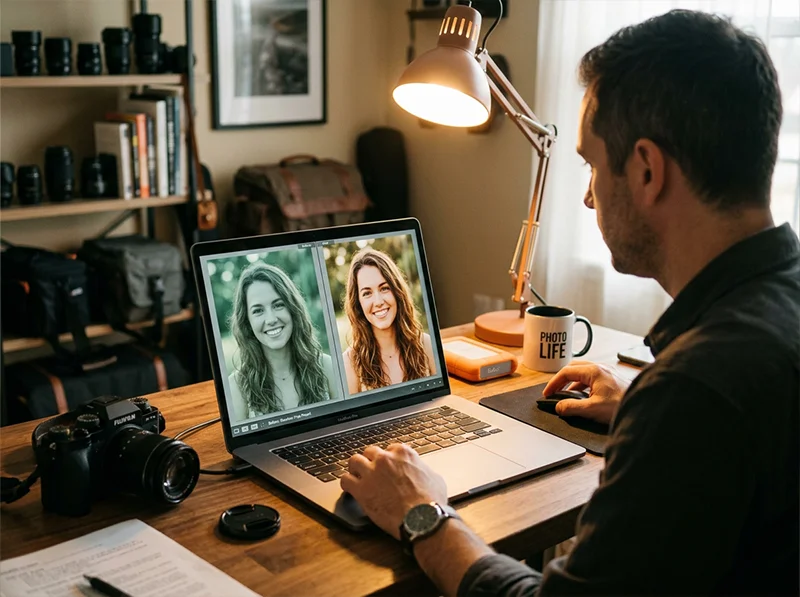
Yes, free Lightroom presets exist. Some of them are genuinely good. Most of them are not. This guide tells you which types are worth your time, what free presets cannot do that paid ones can, and where the line is between a useful free download and a waste of an afternoon.
I have been shooting professionally for 15 years and have downloaded more free presets than I can count. The honest conclusion: free presets are a reasonable starting point, a terrible finishing line, and almost never built from the same science as a well-made paid pack. Here is everything you need to know before you start downloading.
Key Takeaways
- Free Lightroom presets work exactly the same as paid ones technically, same
.xmpformat, same installation process - The difference is in calibration depth: free presets typically cover one lighting condition; good paid packs cover many
- Film stock emulations are the hardest type of preset to get right for free, most free versions are approximations, not science-based builds
- Free presets are most useful for beginners learning what different looks do, not for photographers building a consistent client workflow
- Adobe’s built-in presets (included free with Lightroom) are a better starting point than most third-party free downloads
- The best free option is a sample or demo preset from a reputable paid company, you get one calibrated look at n
01.
How Free Lightroom Presets Actually Work
Free presets are technically identical to paid ones. The file format, installation process, and how they apply to your photo are exactly the same. What changes is what is inside the file.
What free and paid presets have in common:
- Same
.xmpfile format - Same installation process in Lightroom Classic, CC, and Mobile
- Same non-destructive editing, your original file is never changed
- Can be adjusted after applying in both cases
What a free preset typically does:
- Adjusts a handful of settings: exposure, a basic tone curve, maybe HSL saturation
- Calibrated for one preview image, one lighting condition, one camera
- Looks good on the test image; results vary everywhere else
What a well-built paid preset does differently:
- Calibrated across multiple cameras, multiple lighting conditions, and multiple subject types
- Grain structured to look analog at different resolutions, not just one
- HSL values tuned to handle skin tones without pushing orange or grey
- Tone curve rolls off highlights the way film does rather than clipping them digitally
The practical difference is not the format or the installation. It is the depth of calibration behind the values.
For a full explanation of what is inside a Lightroom preset, see our complete guide to what Lightroom presets are.
02.
Where Free Presets Come From
Understanding the source tells you a lot about the quality.

Adobe’s built-in presets are underrated. They ship with every Lightroom installation and are more consistently calibrated than most free third-party downloads. Photographer blogs and personal sites
- Someone built a look for their own work and shared it
- Quality varies enormously depending on how they shoot
- Best case: they shoot in similar conditions to you and the preset translates
- Worst case: calibrated for studio commercial work and you shoot documentary
Preset companies offering samples
- The most reliable source of free presets
- Built to the same standard as the paid collection, just limited to one or two looks
- Genuinely useful and genuinely calibrated, not a watered-down version
- The right way to try before you buy
Social media downloads and link-in-bio freebies
- Lowest quality category
- Almost always marketing tools built to look good on one specific image
- Apply to anything outside that image type and the result falls apart
- Worth skipping entirely
Adobe’s built-in presets
- Underrated and already installed in your Lightroom
- Cover color, B&W, creative, and technical categories
- Stable and calibrated for a wide range of images
- The smartest starting point before downloading anything external
03.
The Clickbait Problem With Free Presets
Most free preset articles are not guides. They are link farms.
The pattern is consistent: a photography blog publishes “50 Best Free Lightroom Presets” with a thumbnail grid of dramatic preview images. You click through, download a zip file, install the presets, apply them to your own photos, and get something that looks nothing like the preview. The preview was shot specifically to make the preset look good. Your photos are not that photo.
This works as a content strategy because:
- High download numbers signal engagement to Google, which ranks the article higher
- Every download requires an email address, building a marketing list
- The presets themselves cost nothing to make — a few slider moves, exported as an
.xmpfile - The photographer behind them has no accountability for whether the preset actually works on your photos
How to tell a clickbait preset from a genuine one:
- No camera or lighting context. A legitimate preset description tells you what conditions it was built for. A clickbait preset has only a dramatic preview and a download button
- 50 or more presets in one pack. Nobody builds 50 calibrated presets. Collections this large are slider experiments, not tested tools
- Preview images are all the same scene. One preset calibrated for a golden hour beach portrait will not hold up on a grey-sky family session. If every preview shows the same lighting, the preset only works in that lighting
- No brand or photographer identity. Legitimate presets come from photographers who stand behind their work publicly. Anonymous zip files from content farms do not
- Email-gate with no sample. A company confident in their product lets you try it before asking for your email. A content farm wants the email, not the download
The result of downloading 200 clickbait presets is a cluttered preset library full of tools that do not work on your photos, and hours spent applying, rejecting, and cleaning up after them.
Three calibrated presets you understand are worth more than 200 downloads you will never use twice.
04.
What Free Presets Can and Cannot Do
Free Presets Quality Paid Presets Technically install and apply Yes Yes Work on RAW files Yes Yes Cover one lighting condition well Often Yes Hold up across different lighting Rarely Yes Handle skin tones consistently Rarely Yes Film stock accuracy Approximation Science-based Multiple variations per look No Yes Grain calibrated by resolution No Yes Tested across different cameras No Yes Worth using for client work Sometimes Yes 05.
The Film Preset Problem
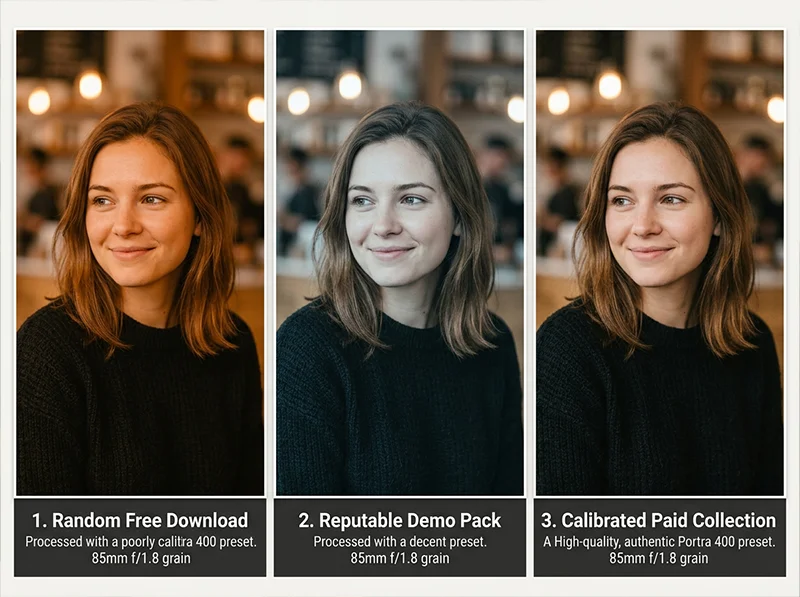
Film stock emulation is the hardest category of preset to get right for free. Building an accurate Portra 400 emulation means studying actual film scans across different exposures, lighting temperatures, and subject types, then translating what the chemistry does into HSL values, a tone curve, and color calibration settings that behave the same way.

Three “Portra 400” presets on the same image. The differences in skin tone, shadow handling, and highlight rolloff are visible without looking hard. What most free film presets actually do:
- Push warmth into the midtones
- Lift shadows slightly
- Add grain
- Call it Portra
It looks convincing on a golden hour portrait preview. It falls apart in open shade, artificial light, or on any subject that is not a warm-toned person against a warm background.
Richard’s direct experience testing free film presets:
- Tested dozens of free “Portra 400” presets over 15 years of professional shooting
- The best free film emulation available is RNI’s demo pack, a genuine sample from their paid library built to the same standard
- Everything else required so much per-image correction that the time saving of using a preset was entirely lost
- At that point you are editing manually with extra steps, not saving time
06.
Free Lightroom Presets Worth Downloading
If you want to start with free presets, these sources are worth your time:
- Adobe’s built-in presets: Already installed in Lightroom Classic and Lightroom CC. Open the Presets panel in the Develop module and explore the built-in folders. The Adobe Color Presets and Adobe Monochrome sets are solid starting points that hold up across different images.
- Sample packs from reputable preset companies: The most reliable free option. Look for companies that offer a genuine sample from their paid collection rather than a purpose-built freebie. The sample will be calibrated to the same standard as the paid pack. You get limited options but real quality.
- RNI Films demo pack: Really Nice Images offers a free demo of their film emulation library. The Kodachrome and Fuji Pro 400H samples are genuinely well-built. Worth downloading as a reference point for what good film emulation actually looks like.
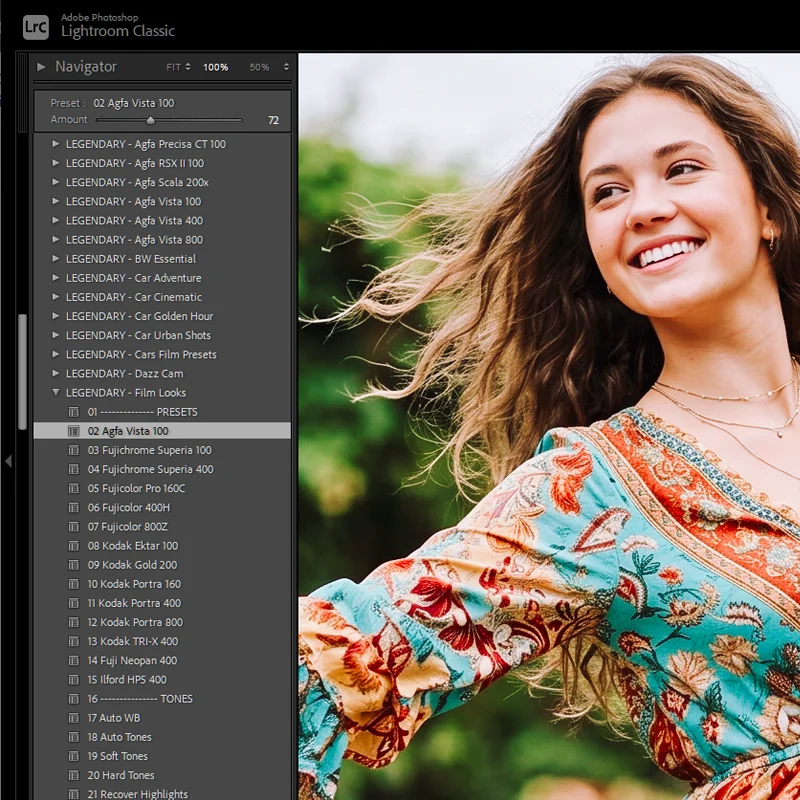
- Legendary Presets Classic Film Presets Collection: The Classic Film Presets Collection covers 14 major film stocks and is available as a one-time purchase rather than a subscription. If you are moving past free presets and want a calibrated film library without ongoing costs, this is the most practical starting point.
07.
When to Move From Free to Paid
Free presets make sense when you are:
- Learning what different looks do and what appeals to your visual style
- Experimenting before committing money to a style you are not sure about
- Shooting casually for yourself with no client or delivery requirements
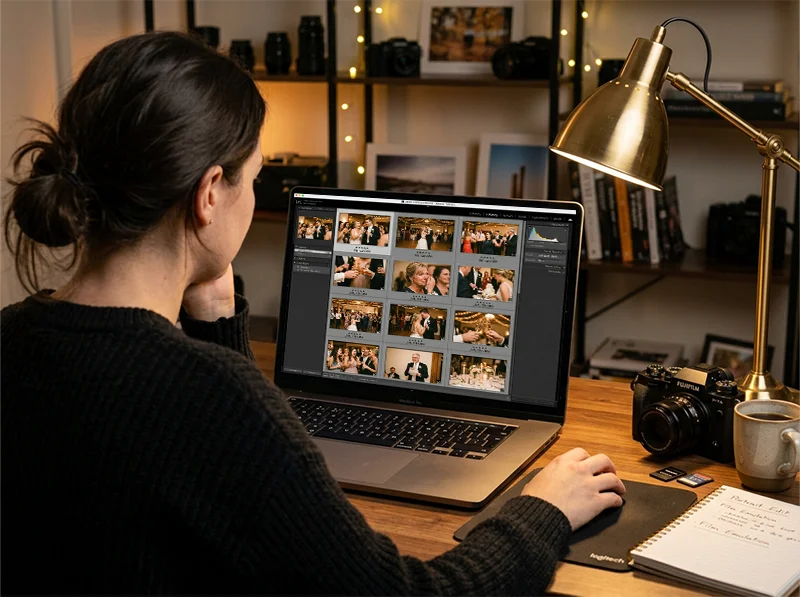
Gallery consistency is where free presets show their limits. A well-calibrated paid preset holds its character across ceremony, portraits, and reception light. Paid presets make sense when you are:
- Editing client work where consistency across a full gallery matters
- Shooting across different lighting conditions and need presets that hold up
- Spending more time adjusting free presets than they save you
- Building a recognizable editing style you want to maintain across projects
The signal that it is time to upgrade is simple: if you apply a free preset and immediately spend five minutes correcting what it did wrong, the preset is not saving you time. It is costing you time. A good paid preset should get you 80% of the way to a finished image on a neutral exposure. If you are not reaching that threshold, the preset is not calibrated for how you shoot.
08.
Free vs Paid: The Honest Summary
Free presets are not a scam. Some of them are genuinely useful, especially samples from reputable companies and Adobe’s own built-in options. They are a reasonable way to start, to experiment, and to understand what presets do before spending money.
They are not a replacement for a well-built paid collection if you shoot professionally, shoot across varied lighting, or need consistent results across a full gallery. The calibration depth simply is not there in the free category, and no amount of downloading more free presets changes that.
The middle path: start with Adobe’s built-ins, download one or two samples from companies whose paid work interests you, and use those samples to decide whether the full collection is worth buying. That process costs nothing and gives you genuinely useful presets along the way.
Explore the full film presets for Lightroom collection, organized by brand, Kodak, Fuji, and Agfa.
09.
FAQ
Are free Lightroom presets safe to download?
From reputable photography sites and preset companies, yes. Avoid downloading
.zipfiles from random social media links or unfamiliar sites, these can occasionally contain malware. Stick to established photography blogs, preset company websites, and Adobe’s own marketplace.Do free Lightroom presets work on Lightroom Mobile?
Yes. Free
.xmppresets install on Lightroom Mobile the same way as paid ones. See our guide to how to install Lightroom presets for the full mobile installation process.Can I use free presets for client work?
Technically yes, but the consistency limitation matters for professional use. If a free preset falls apart in different lighting conditions, you will spend more time correcting images than you save. For client galleries where consistency is expected, a calibrated paid collection is a better investment.
How many free presets do I actually need?
Fewer than you think. Three to five presets that you understand well and can adjust quickly are more useful than 500 free downloads you have never tested properly. Quality and familiarity beat quantity every time.
What is the difference between free presets and Adobe’s built-in presets?
Adobe’s built-in presets come with Lightroom and are calibrated to work reasonably well across a wide range of images. Most third-party free presets are calibrated for a single test image. For a beginner, Adobe’s built-ins are the more reliable starting point.
Are there free film presets that actually work?
Yes, but they are rare. RNI’s demo pack samples are the best free film emulation options I have found. Adobe’s built-in black and white presets are solid for monochrome work. For color film emulation specifically, most free options are approximations rather than science-based builds.
Related Articles
- What Are Lightroom Presets? A Complete Beginner’s Guide
- The Best Lightroom Presets for Photographers in 2026
- How to Install Lightroom Presets on Desktop, Mobile and Photoshop
- How to Use Lightroom Presets: The Complete Workflow Guide
- Lightroom Mobile Presets: The Complete Guide
Richard is a commercial and editorial photographer with over 15 years behind the lens. He’s shot on film and digital across three continents, and still keeps a Nikon F3 loaded with Kodak Portra on his desk. At LegendaryPresets, he leads preset development – studying actual film scans to make sure every stock behaves like the real thing.
- Same