


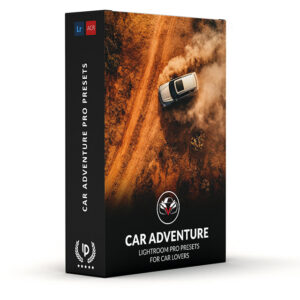


Car Adventure Presets
$34.90
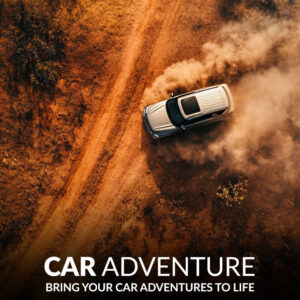
Transform Your Car Photography Instantly! Capture the thrill of the open road with Car Adventure Presets for Lightroom. Designed for car photographers, these presets enhance images taken in stunning natural settings like mountain roads, coastal locations, deserts, and outback terrain.
Get bold tones, rich contrast, and natural warmth without hours of editing. Download now and transform your photos instantly!
✓ 12 Car Adventure Presets
✓ 16 Clean Edit Presets
✓ Professional Look with 1-Click
✓ Easy to use – Beginner-friendly
✓ Create your own Signature Style
✓ Instant Digital Download
 For Desktop & Mobile
Are your Road Trip photos falling flat?
Get bold photos in less time!
“I’m no expert, but wow, my car pics look pro now. My blog readers keep asking how I do it! ” – Lionel C., Car Blogger
Make Your Car Photos Pop with Adventure Presets
Every road trip has a story—the sun setting behind winding roads, the salty breeze on coastal highways, the endless stretch of desert. But do your photos really capture that feeling?
These Lightroom presets bring out deep shadows, crisp highlights, and rich colors, so your shots reflect the magic of the moment. Turn every car adventure into a masterpiece. Get your presets now!
What's Included:
What’s Included
» 12 Car Adventure Presets
» 16 Clean Edit Presets
» 1x Instruction Guide (PDF)
» File formats: XMP, DNG
» 12 DNG Files
» Free Upgrades
Clean Edit Presets
Use the Clean Edit Presets to make basic adjustments and set the foundation for your image. They also speed-up your workflow and offer you endless style combinations.
 You receive this presets as digital download
immediately after purchase.
Compatible with:

Desktop
» Adobe® Lightroom® 7.5 or later
» Adobe® Camera Raw 10.5 or later
Mobile
» Adobe® Lightroom Mobile
» Android & iPhone
Stand out! Bold photos without the editing grind.


FAQ
How to Download & Install the Presets?
As soon as your payment went through, you receive the download link direct by email.
Just follow the easy instructions at How to install Lightroom Presets and start using them on your desktop or mobile device.
How to use Lightroom Presets?
- The Car Advanture Presets for Lightroom are crafted by professionals to enhance the visual look of photos. These Lightroom presets are designed to complement a wide range of images, ensuring consistent results.
- The Lightroom car presets are available for the the Desktop and Mobile App versions of Lightroom. The mobile app for Android and iPhone offers you nearly the same features like the desktop version to edit and transform your photos on the go.
- You can capture your photos using a DSLR, mirrorless camera, point & shoot camera, or even your smartphone. Import the image into Lightroom and apply the desired preset. This straightforward process allows you to achieve professional results with just a few clicks.
- Please note that the final outcome of a preset can vary depending on the characteristics of the original photograph, such as white balance, exposure, tones, and settings.
- After applying a preset, you can start to make manual adjustments to fine-tune the image to your liking. Lightroom offers a large set of sliders and tools, allowing you to tweak many aspects of the image until you achieve the desired outcome.
- In some instances, a preset may alter the skin tone of persons captured in the photograph. In this cases, utilize Lightroom’s powerful color adjustment tools to refine the skin tone until it appears natural and flattering.
- For optimal results, it’s recommended to use presets on well-exposed, high-quality RAW & JPG photographs. Images that are overexposed, underexposed, or of poor quality may yield unsatisfactory results when presets are applied.
How to use the Clean Edit Presets?
With our Clean Edit Presets you can set the perfect foundation of your image by adjusting for example white balance, exposure, whites, tones, etc. Each clean edit preset changes only one value, without overwriting other adjustments and values.
Can the Presets used in Photoshop?
You can use the Presets in XMP format also in Adobe Photoshop
Installing Presets in Adobe Camera Raw (ACR) 10.3+ (Windows & Mac)
- Open your image in Adobe Photoshop.
- At the top menu click on Filter and select “Camera Raw Filter”.
- On the right you see the word “Basic” click the small burger next to it. Then, click “Load Settings”.
- Choose the .xmp file(s) from downloaded and unzipped folder. Then click on “Load” button.
- To apply a preset, click on OK button.
How do these Presets work with my Car photos?
If you’ve got photos of your car on mountain roads, by the coast, in the desert, or on outback terrain, these presets are made for you. They enhance the natural beauty of these settings, making the colors richer, the details sharper, and the overall vibe more adventurous. Your car will look stunning against those epic backdrops.
Can I use these Presets on any photo, or are they only for Car photos?
While these presets are optimized for car photography in nature, you can definitely use them on other types of photos too. They work great on any outdoor shots—like landscapes or even portraits—where you want to bring out the beauty of the environment. So, feel free to experiment!
Do you have Tips for the Presets?
Tips & Tricks for Car Adventure Presets
-
Shoot in the morning or afternoon: Take pictures early in the day or late before sunset when the light is soft and warm. It makes the car and scenery look awesome.
-
Change your angle: Don’t just stand there—bend down low or get up high to make the car look cool and exciting.
-
Make the car the star: Put the car in the middle of the photo, but add some neat background like trees or a road to show the adventure.
-
Use nature around you: Add things like a sunset, a curvy path, or a big rock to make your picture more fun to look at.
-
Zoom in close: Get near the car and snap details like the tires or lights to show what makes it special.
-
Show it moving: If the car’s driving, try to blur the background a little so it looks fast and adventurous.
-
Find reflections: Use water like puddles or the car’s shiny parts to catch a reflection for a creative twist.
-
Play with your camera: Try different buttons or modes, like focusing on the car and making the background fuzzy for a cool effect.
How about License/Terms?
License Terms
The Presets are licensed for individual use only. Resale or redistribution is strictly prohibited. This non-transferable license is limited to the original purchaser and does not extend to companies or partnerships.
No Refunds
All sales of these digital products are final with no refunds, returns, or exchanges permitted due to their downloadable nature.
By purchasing, you agree to these terms.
Car Lovers who viewed this presets also viewed:
We have a large selection of Car Presets, give your images a unique look and explore more Car Lightroom Presets here.
2 reviews for Car Adventure Presets
Only logged in customers who have purchased this product may leave a review.
Related products


$34.90
-67%


Original price was: $209.40.$69.90Current price is: $69.90.
$34.90
$34.90


$34.90


$34.90
Derek C. (verified owner) –
Running a small roadside café keeps me close to the community, and I love capturing the everyday charm of life on the road. These presets have given my photos the inviting vibe that perfectly mirrors the rugged beauty of Montana. They’ve made sharing my story even more special.
Tyler B. (verified owner) –
I’m always on the road, blogging about my trips, and cars I drive are a big part of the story – think dusty Jeeps in the desert or shiny rentals on city streets. The Car Adventure Presets helped me so much. They give my car shots this epic vibe that pulls me readers right into the adventure. What I love most is how they work no matter where I am – mountains, beaches, you name it. Worth every penny!